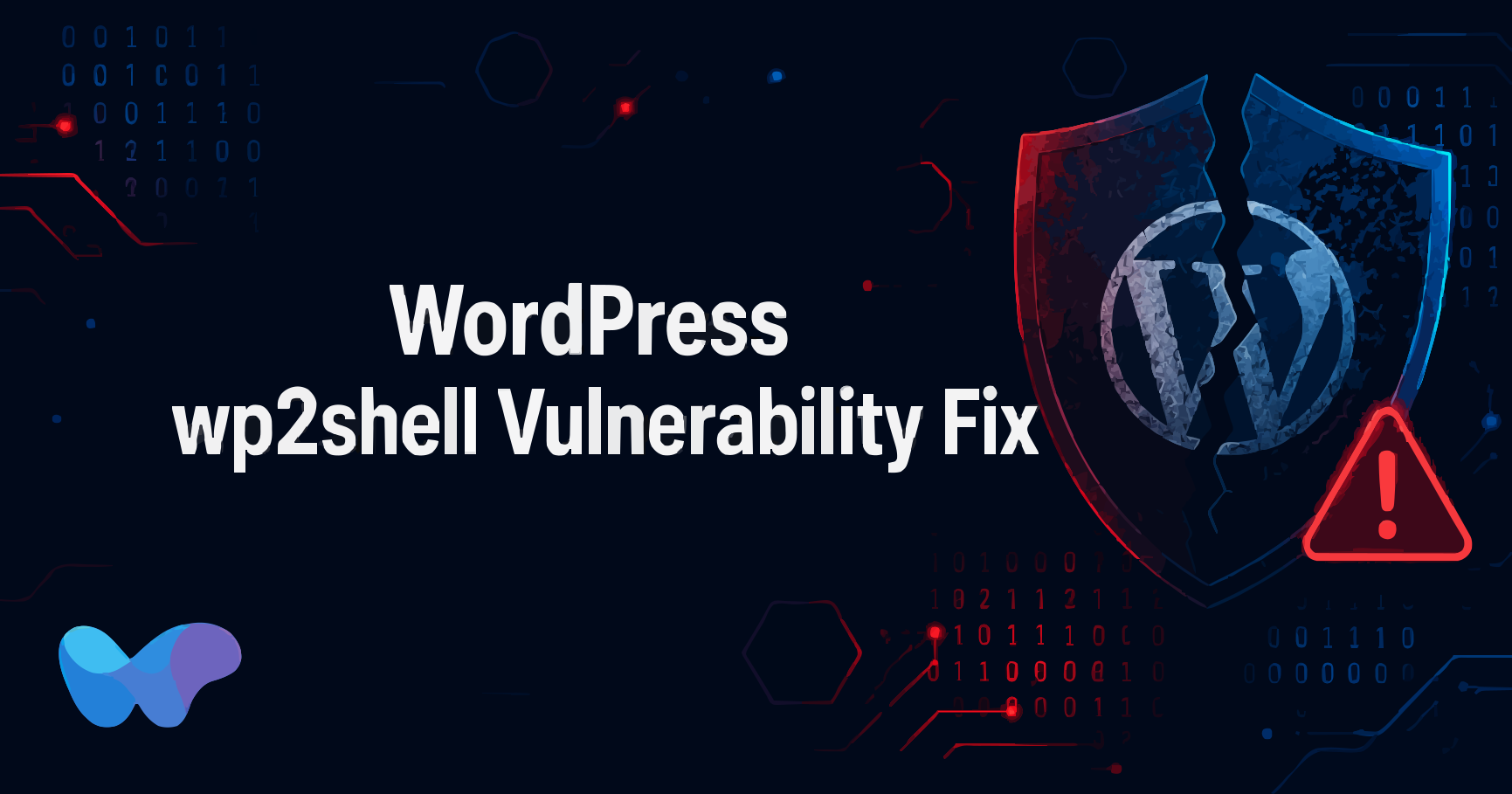
A critical vulnerability chain in WordPress Core is being actively exploited in the wild. Security researchers have named it wp2shell, and if your site is running WordPress 6.8, 6.9, or 7.0, you are affected.
The WordPress wp2shell vulnerability fix is not optional. This exploit allows an unauthenticated attacker to execute code remotely on your server. No login required, no plugin involved. Just a crafted API request and your site is compromised. NHS England's National CSOC has rated this as high severity and confirmed that further exploitation is highly likely.
Source: NHS England Cyber Alert CC-4815
Here is exactly what you need to know and what to do right now.
Table of Contents
What Is the wp2shell Vulnerability?
wp2shell is the name given to a chained exploit targeting WordPress Core. It combines two separate CVEs to achieve unauthenticated remote code execution (RCE):
- CVE-2026-63030 -- An interpretation conflict vulnerability in the REST API batch endpoint. CVSSv3 score: 9.8
- CVE-2026-60137 -- A SQL injection vulnerability caused by improper sanitization of the
author__not_inparameter inWP_Query. CVSSv3 score: 5.9
On their own, these vulnerabilities are serious. Chained together, they become critical. An attacker sends a crafted API request that triggers the route confusion in CVE-2026-63030, which then enables the SQL injection from CVE-2026-60137 to escalate into full remote code execution on your server.
A public proof-of-concept exploit is already available, which is why security agencies are treating this as an urgent threat.
Which WordPress Versions Are Affected?
The following WordPress Core versions are confirmed vulnerable:
- WordPress 6.8.0 to 6.8.5
- WordPress 6.9.0 to 6.9.4
- WordPress 7.0.0 to 7.0.1
Note that WordPress 6.8 and 6.9 are now end-of-life. They are no longer officially supported or actively maintained. Patches have been backported to these versions, but the WordPress team strongly recommends migrating to a supported release.
If you are unsure which version you are running, log in to your WordPress dashboard. The version number is visible in the bottom right corner of the admin screen, or under Dashboard > Updates. Regardless of which branch you are on, the WordPress wp2shell vulnerability fix is the same: patch to a supported, fixed version immediately.
How Does the wp2shell Exploit Work?
The attacker sends a specially crafted request to the WordPress REST API batch endpoint. CVE-2026-63030 causes a route confusion issue that WordPress misinterprets in a way that bypasses normal authentication checks.
This opens the door for CVE-2026-60137. Because WP_Query does not properly sanitize the author__not_in parameter, the attacker is able to inject malicious SQL through the now-accessible endpoint. That SQL injection is then leveraged to achieve remote code execution on the server.
The result is full attacker control over your WordPress installation, with no credentials needed at any point in the attack. Understanding how the exploit works makes it clear why applying the WordPress wp2shell vulnerability fix as soon as possible is critical.
How Serious Is This Threat?
The numbers speak for themselves. CVE-2026-63030 carries a CVSSv3 score of 9.8, which is near the maximum possible severity rating. A public proof-of-concept is available, meaning attackers do not need advanced skills to exploit this. NHS England's National CSOC has assessed that further exploitation is highly likely.
For small business WordPress sites, this is especially dangerous. Most small sites lack active monitoring or intrusion detection, so an attack could go unnoticed for days or weeks.
The combination of a high CVSS score, active exploitation, and a public exploit makes this one of the most urgent WordPress vulnerabilities in recent years.
WordPress wp2shell Vulnerability Fix: Step-by-Step
The primary fix is a patch. Update your WordPress Core to one of the following fixed versions:
- WordPress 7.0.2 or later (recommended)
- WordPress 7.1 Beta 2 or later (if you are testing on a staging environment)
For sites still on WordPress 6.8 or 6.9, backported patches exist. However, these branches are end-of-life. Applying the patch buys time, but migrating to a supported version should be the next step.
To update WordPress Core:
- Log in to your WordPress dashboard
- Go to Dashboard > Updates
- If an update is available, click Update Now
- Wait for the update to complete and verify the version number
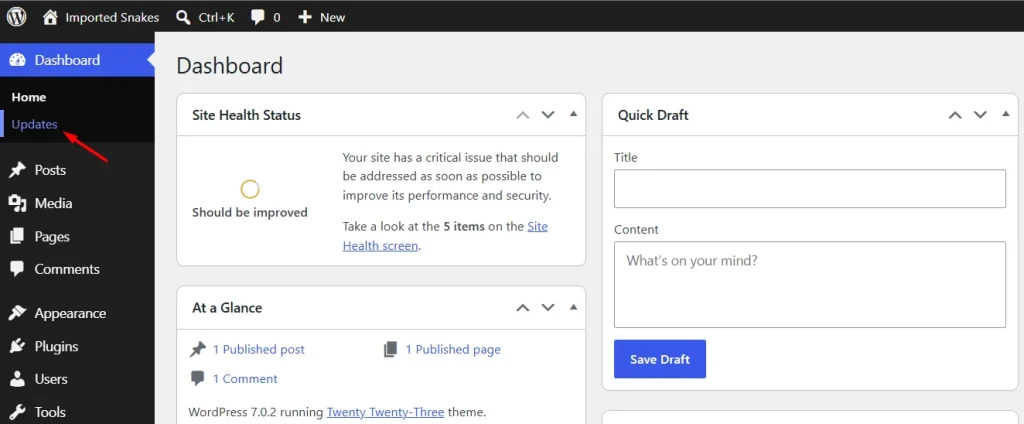
If your host manages WordPress updates automatically, check whether the update has already been applied. Do not assume it has been done without verifying.
Block REST API Access as a Temporary Measure
If you cannot apply the WordPress wp2shell vulnerability fix immediately, you can reduce your exposure by blocking anonymous access to the WordPress REST API. This does not fix the vulnerability but removes a key part of the attack surface.
There are two ways to do this:
Option 1: Use a security plugin
Plugins like Wordfence, WP Cerber, or All-In-One Security include options to restrict REST API access to authenticated users only. Enable this setting in your plugin's configuration.
Option 2: Block via your WAF
If you have a web application firewall in place, add rules to block requests to:
/wp-json/batch/v1
?rest_route=/batch/v1
Both Sucuri and Cloudflare WAF support custom rules that can block these endpoints.
Note that blocking REST API access may affect some plugins and themes that rely on it for legitimate functionality. Test on a staging environment before applying to production.
How to Check If Your Site Was Already Compromised
Even after applying the WordPress wp2shell vulnerability fix, it is worth checking whether your site was compromised before the patch was in place. If your site was running a vulnerable version before you patched, it is worth checking for signs of compromise.
Look for these indicators:
- Unexpected admin user accounts in Users > All Users
- Modified core files (security plugins like Wordfence can scan for file changes)
- Unfamiliar files in your WordPress root directory or wp-content folder
- Unusual entries in your server access logs, particularly requests to /wp-json/batch/v1
- Unexplained outbound connections from your server
If you find evidence of compromise, do not just patch and move on. Restore from a clean backup taken before the attack window, then apply the patch to the restored version. Patching an already-compromised site leaves any backdoors the attacker installed still in place.
What to Do After Patching
Patching the vulnerability is the critical first step, but there are a few things worth doing immediately after:
Update all plugins and themes. Vulnerabilities in plugins are often chained with core exploits. Keeping everything up to date reduces the overall attack surface.
Review your user accounts. Check for any admin accounts that should not be there and remove them.
Enable two-factor authentication. Even if an attacker has credentials, 2FA adds another layer they need to bypass.
Set up a security plugin if you do not already have one. Wordfence, MalCare, and Sucuri all offer malware scanning and login protection that would have flagged suspicious activity early in an attack like this. We covered the best WordPress security plugins for small businesses in detail; that list is a good place to start.
Check your PHP version. WordPress 7.0 raised the minimum PHP requirement to 7.4, with 8.3 recommended. Running an outdated PHP version compounds your security risk.
Last Words
Security is not a one-time task. The WordPress wp2shell vulnerability fix is your immediate priority, but the habit of keeping your site updated and monitored is what protects you long-term. If your site is running a vulnerable version right now, update it before you do anything else.