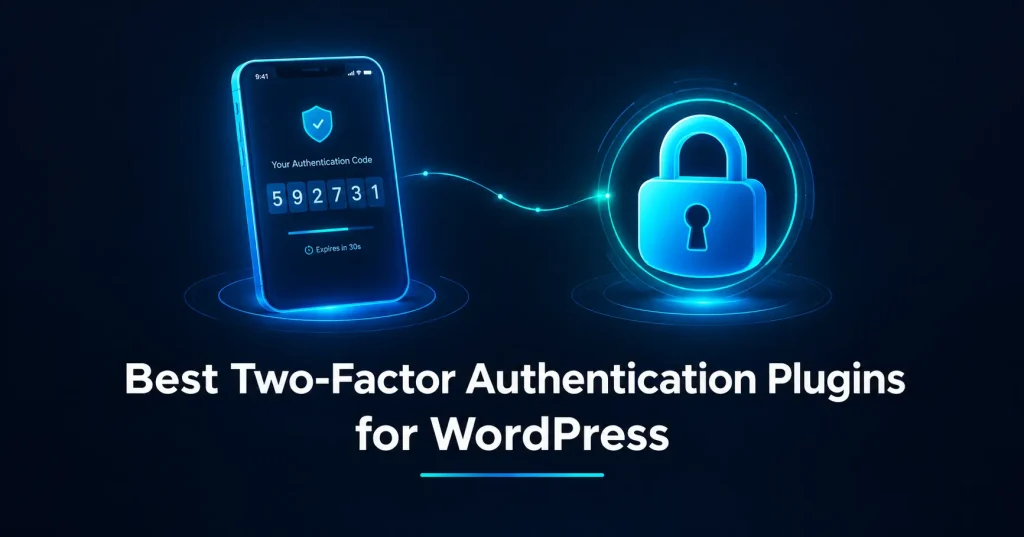
Password alone is not enough anymore, not for a WordPress site that gets hit with automated login attempts every day. The best WordPress two factor authentication plugin adds a second check at login, so a leaked or guessed password alone is not enough to get in. I added 2FA to every client site I manage a while back, and the difference in failed brute-force attempts hitting wp-login.php since then has been obvious in the logs. Here are 6 plugins worth using in 2026, picked for how they actually hold up on a real site, not just feature lists.
1. WP 2FA by Melapress
WP 2FA is built around rolling out 2FA across a whole team without locking anyone out by accident. The setup wizard walks each user through enrollment, and role-based policies let you enforce 2FA for editors and admins while giving a grace period before it becomes mandatory.
The free version covers authenticator apps, email codes, backup codes, and passkeys, which is already more than most sites need. Premium adds YubiKey and other hardware security keys, SMS delivery through providers like Twilio, trusted devices so you are not prompted every single login, and white-labeling if you manage this for clients.
Unique feature: the grace period setting lets you announce mandatory 2FA and give users a window to set it up on their own schedule, instead of locking them out the moment the policy goes live. For agencies managing several authors or a membership site with multiple contributors, this alone avoids a flood of support tickets on rollout day. That built-in rollout control is one reason WP 2FA keeps showing up near the top of best WordPress two factor authentication plugin roundups.
2. miniOrange 2FA
miniOrange 2FA wins on sheer variety of verification methods. Authenticator app, email OTP, SMS, Telegram OTP, security questions, and backup codes are all available, and the free tier supports a handful of users getting fully set up before you need to upgrade. That range of delivery options is exactly why miniOrange is often picked as the best WordPress two factor authentication plugin when a team needs more than just an authenticator app.
This is the plugin I reach for when a client specifically asks for SMS or messaging-app codes instead of an authenticator app, since not every team is comfortable installing Google Authenticator or Authy. Premium unlocks WhatsApp OTP, unlimited users, trusted devices, and multisite support.
Unique feature: Telegram OTP is available even on the free plan, which is rare. If your team already lives in Telegram for work communication, this removes the friction of installing yet another app just for login codes.

3. Wordfence (Built-In 2FA)
Wordfence used to ship 2FA as a separate Wordfence Login Security plugin, but that standalone plugin was retired around July 2026, with the same features folded into the main Wordfence plugin. If you are installing fresh in 2026, you get 2FA by setting it up directly from Wordfence’s Login Security section, not as its own install.
It supports TOTP for any user role, pairs with Google reCAPTCHA v3 on the login and registration forms, and gives you the option to block or require 2FA on XML-RPC requests, which is a common entry point bots use to bypass the normal login form.
Unique feature: if you already run Wordfence for its firewall and malware scanner, which we covered in our best WordPress security plugins roundup, 2FA setup is one toggle away in a dashboard you are already using daily. There is no second plugin to manage or keep updated separately.
4. Two Factor (WordPress.org Contributors)
Two Factor is maintained directly by WordPress.org contributors, and it stays deliberately simple. Each user sets up their own 2FA method from their profile page, choosing between an authenticator app, email codes, or backup codes.
There is no premium tier and no upsell anywhere in the plugin, because there is nothing to sell. It is genuinely free and open source, with no user cap.
Unique feature: because it comes from the same team that maintains WordPress core, it tends to stay compatible with core changes without the lag you sometimes see from third-party plugins chasing a new release. The tradeoff is that it has no centralized policy or forced-enrollment option out of the box. If you need every user locked into 2FA, you will need to pair it with a small enforcement plugin or custom code. Even without that extra layer, it is still a solid best WordPress two factor authentication plugin choice for developers who want something minimal and dependable.
5. Two Factor Authentication (UpdraftPlus Team)
Built by David Anderson and the team behind UpdraftPlus, this plugin supports both TOTP and HOTP authenticator codes, with a front-end shortcode that lets users manage their 2FA settings without ever touching wp-admin.
That shortcode matters more than it sounds. If you run a membership site or a WooCommerce store where wp-admin is hidden or restricted for regular users, this is one of the few options that still lets them configure 2FA from a normal front-end page. The 2FA secret is also encrypted at rest rather than stored in plain text, and it supports Multisite out of the box.
Unique feature: the free version already supports WooCommerce login forms and other custom login forms beyond the default wp-login.php screen, which several competitors reserve for a paid tier.
6. Duo Universal
Duo Universal is a different category entirely, since it connects your WordPress login to Duo’s own authentication service rather than handling codes inside WordPress itself. Users get Duo Push notifications on their phone, along with TOTP, SMS, and FIDO2 hardware key support, all through Duo’s Universal Prompt screen.
Duo’s free tier covers up to 10 users at no cost, which is enough for most small teams. Beyond that, paid tiers add single sign-on and risk-based authentication, aimed more at agencies and businesses than solo site owners.
Unique feature: push-based approval means users just tap a notification on their phone instead of typing a code, which is noticeably faster once your team gets used to it. The catch is that you need a Duo account and a publicly reachable site for the connection to work, so it is not a drop-in plugin like the others on this list.
2FA Setting Up - Common Mistakes
I have seen a few of these trip up perfectly capable teams, so it is worth calling out before you roll any of these plugins out.
The most common one is enabling 2FA only for the main admin account and assuming that covers the site. If your editors and authors still log in with just a password, an attacker who compromises one of their accounts can still publish content, inject malicious scripts into posts, or pivot from there. Role-based enforcement, which WP 2FA and Wordfence both support, closes that gap without you having to chase every user individually.

Another one is not generating backup codes before you actually need them. Authenticator apps live on a phone, and phones get lost, reset, or replaced. Without backup codes saved somewhere safe, a lost phone turns into a support ticket where you are manually disabling 2FA for a locked-out user through the database, which is not where you want to spend your afternoon.
Relying on SMS as the only verification method is a weaker choice than it looks. SIM swapping is a real attack vector, and SMS delivery can be delayed or blocked depending on the carrier and region. Use it as a fallback option, not the primary method, if your plugin supports layering a few choices.
Rolling out mandatory 2FA with no grace period is the fastest way to generate a flood of support tickets on a Monday morning. Give your team a window to set it up on their own schedule, the same way WP 2FA's grace period setting works, rather than forcing enrollment the moment the policy goes live.
Last, test the full flow yourself before asking anyone else to use it. Log in from a fresh browser session, go through setup exactly as a new user would, and confirm the backup code flow actually works. It takes ten minutes and catches problems before your team finds them for you. Skipping any of these steps is exactly how a site ends up with the best WordPress two factor authentication plugin installed but still not actually protected.
Which One Should You Use?
For most sites, WP 2FA or the built-in Wordfence 2FA cover everything you actually need, and either is a solid pick for the best WordPress two factor authentication plugin you can run for free. WP 2FA is the stronger pick if you are rolling 2FA out to a team and want role-based enforcement with a grace period. If you already run Wordfence for security and just want 2FA without adding another plugin, use what is already in your dashboard.
If your users need SMS or messaging-app codes instead of an authenticator app, miniOrange covers that better than anything else on this list. For membership sites or stores that keep users away from wp-admin entirely, the UpdraftPlus team’s plugin with its front-end shortcode is worth the smaller feature set. And if you want push-based approval for a small team willing to set up an external account, Duo is hard to beat on speed.
Whichever plugin you pick, the best WordPress two factor authentication plugin is the one your team will actually set up and keep using. A 2FA plugin sitting installed but unconfigured protects nothing. Pick one, walk your admins and editors through setup today, and pair it with the security plugin you are already running for layered protection at the login screen.