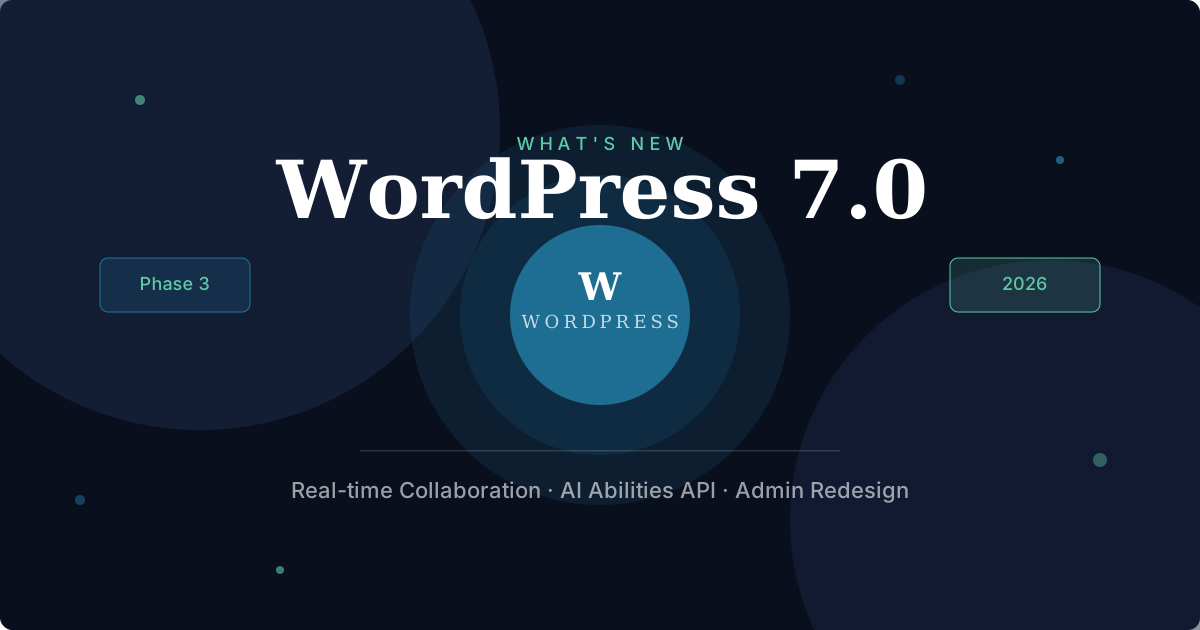
I've been building on WordPress for years now personal projects, client sites, and most recently my own portfolio. So when the community started talking about WordPress 7.0, I paid attention. This isn't just a version bump. After a turbulent 2025 full of legal battles and contributor slowdowns, the WordPress core team is coming back strong with what might be the most significant release since the block editor landed in 2018.
Here's everything you need to know and what you should actually be doing right now to prepare.
Table of Contents
Why WordPress 7.0 Is a Big Deal
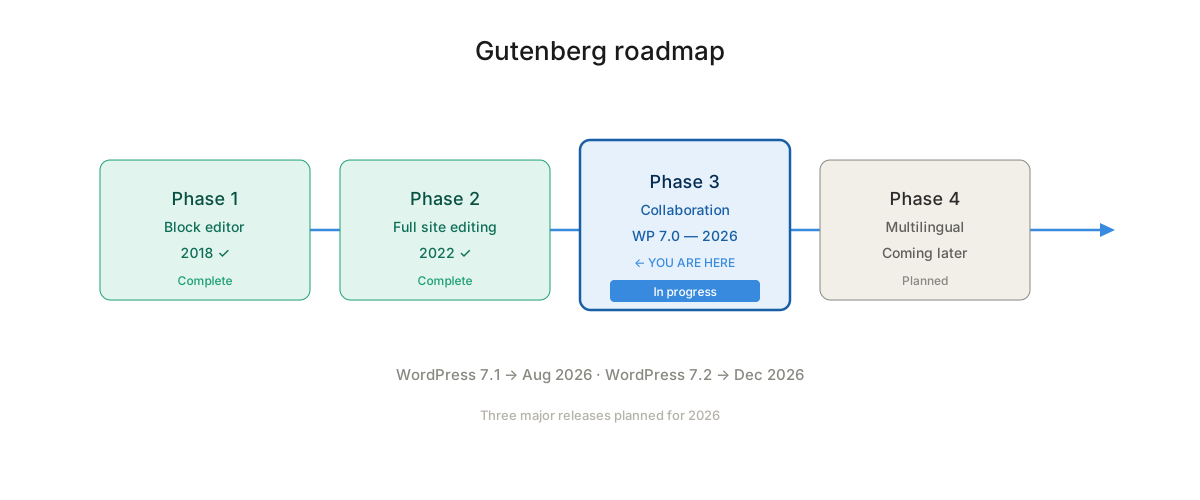
To understand why 7.0 matters, you need to know where it sits on the Gutenberg roadmap.
- Phase 1: The block editor (Gutenberg)
- Phase 2: Full Site Editing (FSE)
- Phase 3: Collaboration ← This is WordPress 7.0
- Phase 4: Multilingual (coming later)
Phase 3 is focused on transforming WordPress from a solo editing experience into a real-time, multi-user collaborative platform. Think Google Docs, but inside the WordPress block editor. That's the ambition — and 7.0 is where it starts to become reality.
Release Date➡ What Happened?
WordPress 7.0 was originally scheduled for April 9, 2026, timed to coincide with WordCamp Asia in Mumbai. It would have been a perfect stage for the announcement.
But on March 31, 2026, the core team delayed the release. The reason? The data storage layer behind the new real-time collaboration feature needed more time to stabilize specifically around cache invalidation and the underlying data model. The revised schedule is expected to be published around April 22, 2026.
Honestly, I'd rather they take the extra time. Rushing a feature like real-time sync could cause serious data integrity issues on production sites. The current stable release remains WordPress 6.9.4.
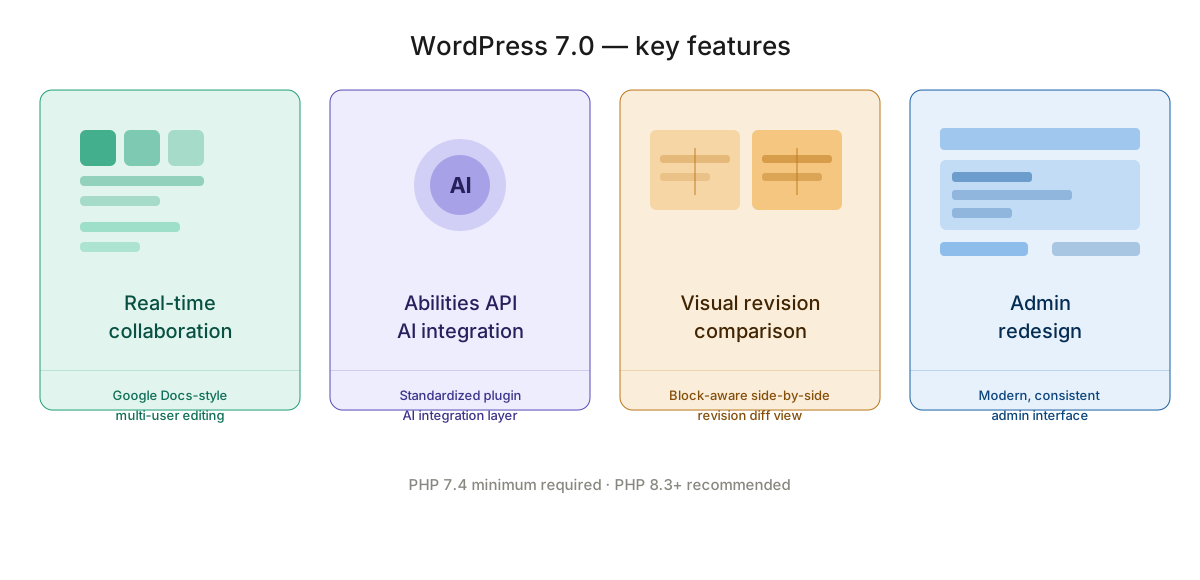
What's Actually Coming in WordPress 7.0
Real-Time Collaboration
Real-time collaboration is the headline feature. Multiple users will be able to edit the same post simultaneously, with live cursor presence and instant syncing — similar to how Google Docs works. The technical implementation includes a conflict resolution system for simultaneous block edits, so you won't end up with corrupted content when two editors touch the same block at the same time.
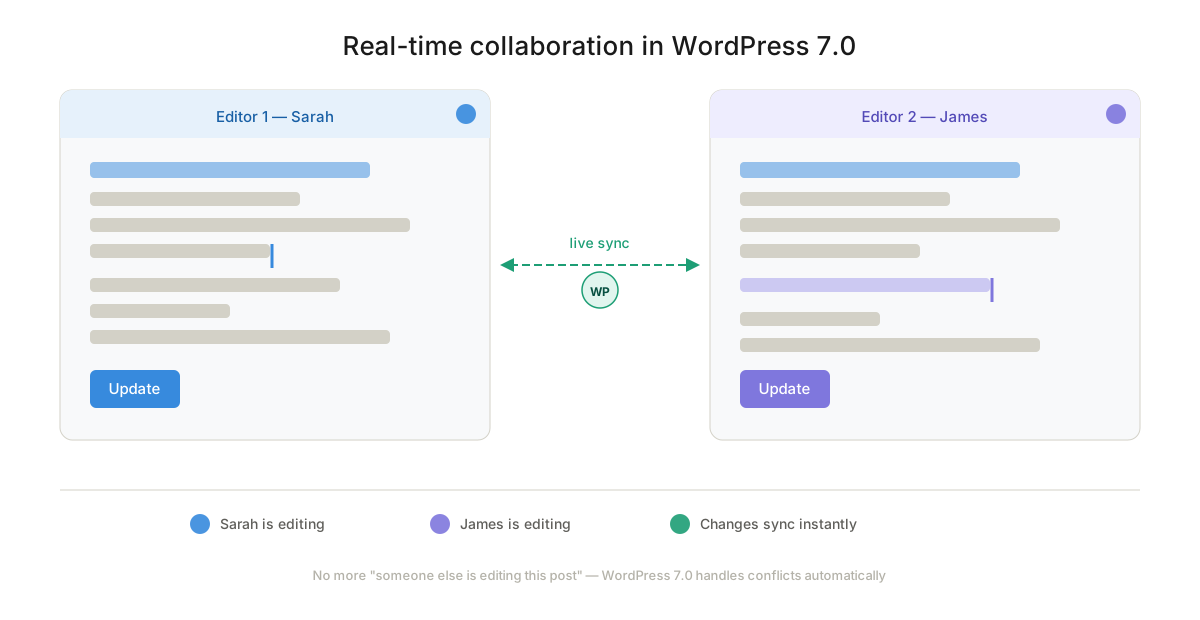
For editorial teams and agencies managing content with multiple contributors, this is genuinely transformative. The groundwork was laid in WordPress 6.9 with the Notes system — threaded, block-level commenting directly inside the editor.
AI Integration via the Abilities API
WordPress 7.0 isn't shipping a built-in AI writer. Instead, the team made a smarter call: they're introducing the Abilities API and an AI Client — a standardized way for plugins and themes to hook into AI functionality. This keeps the core lean while giving the ecosystem a proper foundation to build on.
In my experience, baking AI directly into CMS core is rarely a good idea. Letting the plugin ecosystem handle it through a well-designed API is the right approach.
Visual Revision Comparison
WordPress has had post revisions since version 2.6. But the old revision viewer never caught up with the block editor — it just showed raw HTML diffs, which is nearly useless when you're working with complex block structures.
WordPress 7.0 ships a block-aware revision UI: a side-by-side diff that understands individual blocks. You'll be able to restore specific blocks from a previous revision without rolling back the entire post. For anyone managing long-form content with multiple contributors, this alone is worth the upgrade.
Admin Interface Redesign
The WordPress admin hasn't had a meaningful visual refresh in a long time. 7.0 brings a modernized admin UI — cleaner, more consistent with the block editor experience. No details yet on exactly how dramatic the changes will be, but the direction is toward something that feels like a cohesive product rather than a patchwork of UI decisions made over 20 years.
PHP 7.4 Minimum Requirement
This is the breaking change most site owners need to pay attention to. WordPress 7.0 drops support for PHP 7.2 and 7.3. If your server is still running either of those, you won't receive the update and will stay on the 6.9 branch.
The recommended version is PHP 8.3 or higher. If you haven't upgraded your PHP version yet, now is the time — before 7.0 ships, not after.
What Happened to 2025?
If it felt like WordPress went quiet last year, it did. Only two major releases shipped: 6.8 in April and 6.9 in December — instead of the usual three. The WP Engine lawsuit and Automattic's temporary halt on core contributions created a capacity gap that made a full three-release schedule impossible.
The silver lining: the core team used that time to clear technical debt and ship 6.9 with a solid foundation for everything 7.0 is building on. Going into 2026, the release cadence is back to three major releases per year: 7.0, then 7.1 tentatively on August 19, and 7.2 around December 8–10.
How to Prepare Right Now
1. Check your PHP version Log into your hosting panel and verify you're on PHP 7.4 at minimum. PHP 8.2 or 8.3 is ideal.
2. Test your plugins and themes Set up a staging environment and install the WordPress 7.0 beta. Run through your critical plugins and flag anything that breaks. Give plugin authors time to ship updates before 7.0 officially lands.
3. Review your editorial workflows Real-time collaboration changes how content teams work. Think about access controls — who should be able to edit what, and when.
4. Don't update production on day one I never update production sites immediately after a major WordPress release. Wait a week or two, let the community surface any critical issues, and update once 7.0.1 or an equivalent patch is available.
WordPress 7.0 is the release the community has been building toward for years. Real-time collaboration, a proper AI foundation, and a modernized admin — these aren't incremental improvements. If you've been sitting on an outdated PHP version or running plugins you haven't audited in a while, the delay actually gives you a few extra weeks to sort that out. Use them.